Showing posts with label Computers. Show all posts

Friday, 6 December 2013

Giveaway (win) Google Nexus 5 16 GB

           A CHANCE TO WIN GOOGLE NEXUS 5
We are giving away free nexus 5 16 GB, all you have to do is answer simple questions and we will choose lucky winner. The contest will start from 7th December, 2013 and ends on 3rd January, 2014.
The winners will be chosen on 3rd January, 2014 and winners will be announced on 4th January, 2014.

The nexus 5 is a most hottest phone in current market, its performance and features will blow you off.
In India it costs around ₹ 28k-33k. Moreover it has Full hd display which can give ultra crisp screen.


                         STEPS TO WIN

Step 1 :- Subscribe

Enter your email address:


Step 2 :- Like


Step 3 :- Answer the questions.

Question 1 :- Which processor is used in Google Nexus 5?

Question 2 :- Nexus 5 running on which operating system?

Question 3 :- Write a short review about it in comments? (OPTIONAL)


Terms & conditions :-

1. Answers should be given in comments or on technouncle Facebook page here
2. Please provide your email address along with your answers , so that we can contact you.
3. The winner will be announced on technouncle official site on 4th January, 2014
4. All steps are compulsory.


Thank you everyone for participating :D
And the winner is " Priya sharma "

Congratulations!
verification has been sent to you 


Read More

Monday, 26 August 2013

How to increase video resolution or quality

      Increase resolution or quality of a video

To increase the quality or resolution of a video is not a big deal, all you need is one software i.e video enhancer powered by infognition.com. It is the very light software which converts low resolution video into higher resolution. If you zoom in a video you will find a square shaped frame and blurry video, it can be improved by using video enhancer. In video enhancer each frame re-sizes by taking information from previous format or near by frames which results much clear video. There are more than 200 filters in it which works simultaneously which prevents wastage of time. Moreover all videos can be selected at a time, and processes one by one and obliviously, if you want much better quality you have give time to, there is option available in it speed vs time.


It can be used for various sensitive cases like police case or any personal case i.e it can be used for home purposes or official purposes. If you recorded something with low end device and you want to suspect something, then you can use video enhancer for it to get better resolution video.

Download :-


Download free (demo) :- here
Download from official website :- here

Follow the steps :-

1. Download video enhancer from the link

2. Install it

3. Browse file from input video file or you can multiple select with many files option

4. Adjust the speed or time

5. Select the output folder whatever you want

6. select the frame size whatever you want

7. Select the compression, it depends on your processor which do you have

8. Now start


Read More

Friday, 16 August 2013

How to change blog skin or template

                 How to change skin or template of blogger

Templates are just like clothes of your blog, they make it look good and impressive, and responsible for good traffic of your blog or website. Templates are written in html, java etc, to get adorable looking, so if you are html or java expert you can make it your own with your thinking capabilities and if you don't have knowledge regarding html, java etc then you can simply get it from different website in (.xml) format. 

Templates are further divided into two categories free and purchased templates. If you are beginner in blogging then you must go with free templates.In free template, you will get everything in as like as in purchased. There no difference between free and purchased, it depends on the person who made it wanted to sell or give it away free.


Steps to change template :-

1. Go and get template from websites here

2. After downloading you get a file extension .xml

3. Now open blogger.com go

4. Go to template 


5. Now go to backup/restore 


6. Upload file


7 choose file and wait for it to upload

8 you are done enjoy :)


Read More

Saturday, 10 August 2013

BEST TABLETS UNDER 20000

                        Top tablets under 20000


Tablets are just as mobile phone except calling function in some and bigger screen. Tablet are much cheaper as compared to mobile phone, the range of tablets starts from 1500 (Aakash tab) whereas a good android smartphone range stars from 5000.  Tabs are affordable, easily available, and can be use for education purposes i.e books can be stored in tablet in form of ebooks which you can read anytime you want.

Basically a tablet is mixture of laptop and a mobile phone, you can attach keyboard in it which are specified for tablets. And of course a tablet has different specification on the basis of price, i.e the more expensive it is, the more good specification you get.


HERE SOME GOOD TABLETS WITH AWESOME SPECS


5. Micromax funbook pro ( ₹ 10000 )

It is a very good tablet for those who wants big screen i.e 10 inch screen with HD  resolution. It is manufactured micromax corporation. It has a special features like 3g dongle connectivity and HDMI connectivity with your television. It does not have very good processor which cause its to lag sometime and only have 0.3 mega pixel camera in it.

PROS :-

1. BIG SCREEN

2. GOOD CONNECTIVITY


CONS :-

1.  NO GPS

2. NOT VERY GOOD PROCESSOR


Specification :-

PROCESSOR 1.2 GHz A10 CORTEX A8
RAM 1 GB
GRAPHICS DUAL MALI 400
SCREEN SIZE 10 INCH WITH 1024 X 800 RESOLUTION
DISPLAY TFT DISPLAY
PRIMARY CAMERA 3 MP
SEC CAMERA NA
OPERATING SYSTEM ANDROID 4.0 ICECREAM SANDWITCH
INTERNAL STORAGE 8 GB
WEIGHT NA
BATTERY BACKUP 6 hrs
SENSORS G-SENSOR ACCELEROMETER

 RATING :- 5/10


4 . Ipad mini 16 GB ( ₹ 21900 )

Its one of the top selling product of Apple corporation which is being sold over world wide. Moreover it is running on ios, which have more than 300,000+ apps in it and has top rank for supplying loads of apps. Ipad mini has pretty cool Specifications. It has two models i.e 16 gb and 32 gb. It has a very sleek and impressive design and available in two colors white and black.


PROS :-

1. ALOT OF APPS  

2. SLEEK DESIGN


CONS :-

1. NO GPS

2. NO FLASH


Specification :-

PROCESSOR DUAL CORE A5
SCREEN SIZE 7.9 INCH WITH 1024 X 768 RESOLUTION
DISPLAY IPS DISPLAY AND FINGERPIRNT RESISTANT
PRIMARY CAMERA 5 MP WITH HD RECORDING
SECONDARY CAMERA 1.2 MP
OPERATING SYSTEM iOS
INTERNAL STORAGE 16 GB
WEIGHT 308 g
BATTERY BACKUP 10 hrs
SENSORS AMBIENT LIGHT SENSOR, ACCELEROMETER, Three-axis gyro

RATING :- 6/10


3. Asus fonepad 32 GB ( ₹ 18000 )

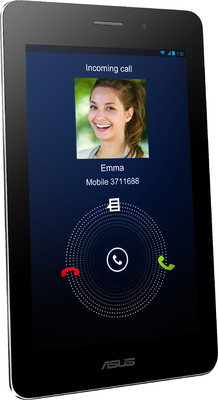
It is an intel based tablet with intel atom processor inside, launched by ASUS corporation. It has 32 GB as internal storage with expandable memory and has another model  with 8 GB internal. Moreover it has 3g call facility like mobile phones and has a look like galaxy tab with black color on front and silver on back. It Running on the most famous operationg system Android 4.1 jelly bean.


PROS :-

1. CALLING FACILITY


2. 32 GB STORAGE


CONS :-

 
1. ONLY 3 MP CAMERA

2. NO HD RECORDING 
  
Specification :-
 
PROCESSOR 1.6 Ghz INTEL ATOM
RAM 1 GB
GRAPHICS POWERVR SGX540
SCREEN SIZE 7 INCH WITH 1024 X 800 RESOLUTION
DISPLAY IPS DISPLAY AND FINGERPIRNT RESISTANT
PRIMARY CAMERA 3 MP
SEC CAMERA 1.2 MP
OPERATING SYSTEM ANDROID 4.1 JELLY BEAN
INTERNAL STORAGE 32 GB
WEIGHT NA
BATTERY BACKUP 9 hrs
SENSORS AMBIENT LIGHT SENSOR, ACCELEROMETER, G-SENSOR, GPS, E-COMPASS

RATING :- 6.5/10


2. Huawei mediapad 10 link tablet ( ₹ 20000)

It is one of the best tablet in current market with loads of feature and big screen. It is manufactured by huawei corporation. It has cellular connectivity with gprs and GPS. Moreover it has quadcore processor which is very good for multitasking/multimedia purpose and gaming, games like nfs mostwanted, nova 3 can run flawlessly. It has 10 inch screen with ips display, you can enjoy movies, games etc.


PROS :-

1. QUAD CORE PROCESSOR

2. 10 inch SCREEN WITH IPS DISPLAY


CONS :-

1. TOO HEAVY

2.  3 MP CAMERA

Specification :-

PROCESSOR 1.2 GHz CORTEX A9
RAM 1 GB
GRAPHICS 16 CORE GPU
SCREEN SIZE 10 INCH WITH 1024 X 800 RESOLUTION
DISPLAY IPS DISPLAY
PRIMARY CAMERA 3 MP
SEC CAMERA 0.3 MP
OPERATING SYSTEM ANDROID 4.1 JELLYBEAN
INTERNAL STORAGE 16 GB
WEIGHT 640 g
BATTERY BACKUP 8 hrs
SENSORS G-SENSOR, ACCELEROMETER, GPS

RATING :- 8.5/10

1. NEXUS 7 2013 ( NA )

It is the tablet which authorized by Google and manufactured by ASUS corporation. It is the best tablet in upcoming market with high specification. The looking of the tablet is awesome, when the screen is off it looks crystal black. It has great performance with Qualcomm s4 processor, and the screen is more than full hd i.e ( 1920x 1200 ).  It will be running on most latest android 4.3, which is recently launched by Google. It will be going to be epic and will be available soon.

PROS :- 

1. EXTREME SPECS


2. FULL HD SCREEN

CONS :- 

1. NOT EXPANDABLE MEMORY

2. NOT VERY GOOD SPEAKERS

Specification :-

PROCESSOR 1.5 GHz QUALCOMM S4 PRO
RAM 2 GB
GRAPHICS ADRENO 320
SCREEN SIZE 7 INCH WITH 1920 X 1200 RESOLUTION
DISPLAY IPS DISPLAY
PRIMARY CAMERA 3 MP
SEC CAMERA 1.2 MP
OPERATING SYSTEM ANDROID 4.3 JELLYBEAN
INTERNAL STORAGE 16 OR 32 GB
WEIGHT NA
BATTERY BACKUP NA
SENSORS G-SENSOR, ACCELEROMETER, GPS, LIGHT SENSOR, MAGNATOMETER

RATING :- 9/10

FOR MORE STAY CONNECTED AND SUBSCRIBE 

Read More

Tuesday, 9 July 2013

How to increase RAM

                How to increase ram in laptop or computer


Ram stands for random access memory, it is contained by every computer and even mobile phones. The main motive  of ram is to store temporary memory so that you can access data instantly i.e it will not take time to load, its a volatile memory. Ram are distributed in three series DDR1, DDR2 ,DDR3, the most latest and cheap one  is DDR3. Nowadays DDR2 and DDR1 are not used, it was used 5-6 years ago.

If you are not having video card, the ram consumption will be a lot. The normal ram is considered is 4 GB, if you have below than that, then no need to worry. Ram can be increased without buying new one. 


REQUIREMENTS :-

1. Windows 7 or 8

2. Empty Pen drive


STEPS TO DO :-

1. Insert pen drive in your laptop or computer

2. format it in default, just hit restore default

3. You must have 256 mb free to use

4. Goto my computer

5. open properties of pen drive

6. Goto ready boost tab

7. use ready boost and enjoy


SCREENSHOTS :-


Read More

Saturday, 8 June 2013

How to take screenshot in laptop or pc

               Take screenshot without using camera

Screenshot of a screen could be very useful in various purposes.  There will be no need of camera anymore, you can take snapshot of a screen with using a single keyboard button. i.e  "prt sc sys rq"


Basically, when you hit the "prt sc sys rq" key, it captures all pixels on your screen that you are watching and converting these captured pixels into image file is not a big deal. That image file can be saved into png, jpeg etc formats. The size of the image totally depends on your monitor, it depends on the pixel of your monitor. If you want full HD screenshot just connect your PC to your TV via HDMI and take a screenshot. Most of the keyboard have  "prt sc sys rq" key, if you don't have just go and upgrade your PC or laptop. 


                      Steps to take a screenshot :-

  1. Select the screen which you want as image
  2. Just simply press "prt sc sys rq" key
  3. Now open paint 
  4. Hit ctrl + v on your keyboard
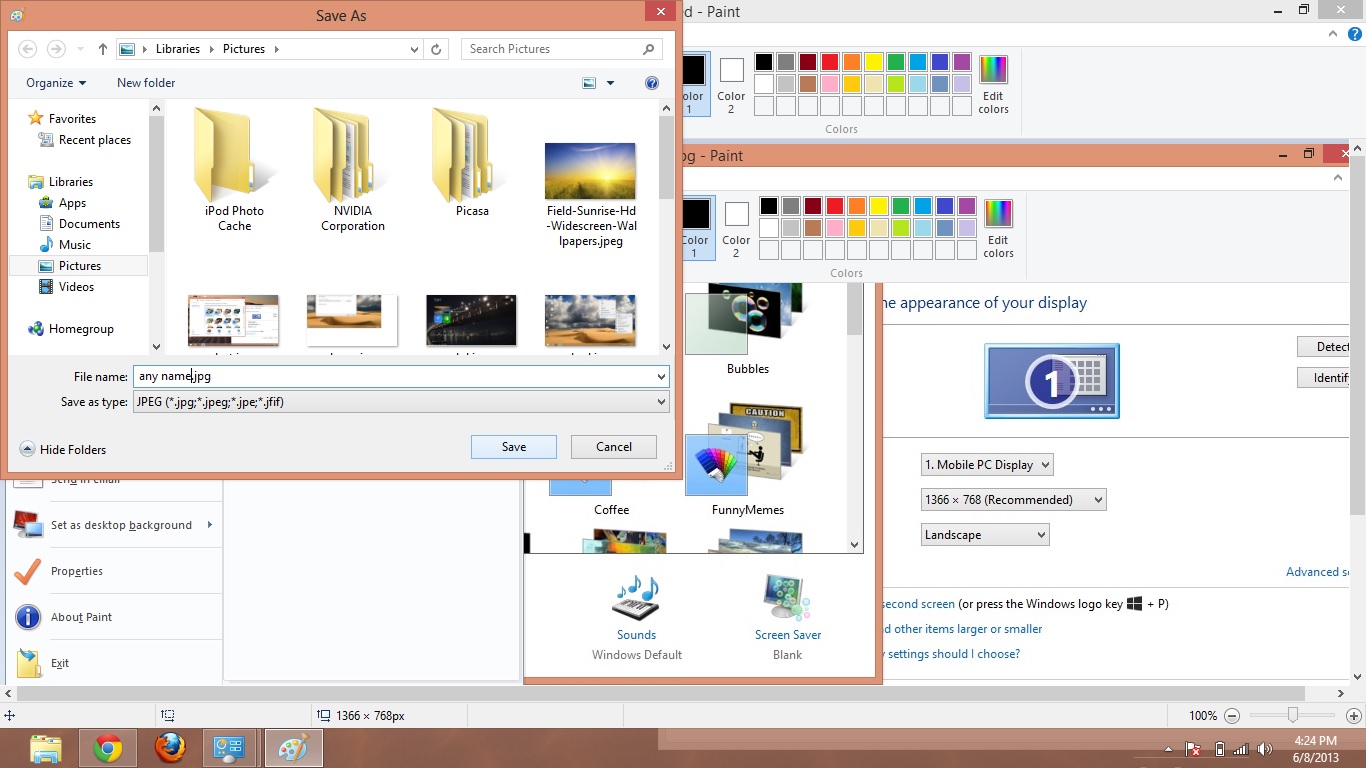
  5. Now goto files and save as jpeg or png whatever you want
  6. Goto saved location and done :)

                                                     Screenshots


Read More

Wednesday, 5 June 2013

How to add pop up Facebook in blog

                        Add Facebook Popup in blog

Facebook can be very useful to increase traffic on your blog, but you must have enough likes on it. The more like their will be, the more traffic you gain, blogger posts can be boost up using Facebook.
Just share your post on Facebook, as people see the link they may visit your blog and increase traffic.
If you already have enough traffic on your blog, then use your blog traffic to increase Facebook like of your page.

The only things you need to do is put popup Facebook widget in your blog and your Facebook page likes totally depends on your blog or website traffic. If you want to remove the Facebook popup just remove the widget.

Lets get started, follow the steps below :-


1. Open your blogger.com

2. Goto layout from left corner

3. Click on add gadget

4. Now click on HTML/Javascript

5. Now just copy the HTML script given below


<!-- Technouncle Code Start -->
<script type='text/javascript'>
//<![CDATA[
KNFBFansPRO='Technouncle'
//]]>
</script>
<style>
#fblikepop{background-color:#fff;display:none;position:fixed;top:200px;_position:absolute; /* hack for IE 8*/width:450px;border:10px solid #900000;z-index:200;-moz-border-radius: 9px;-webkit-border-radius:

9px;margin:0pt;padding:0pt;color:#900000;text-align:left;font-family:arial,sans-serif;font-size:13px;
}
#fblikepop body{background:#FFF none repeat scroll 0%;line-height:1;margin:0pt;height:100%;
}
.fbflush{cursor:pointer;font-size:11px !important;color:#FFF !important;text-decoration:none !important;border:0 !important;
}
#fblikebg{display:none;position:fixed;_position:absolute; /* hack for IE 8*/height:100%;width:100%;top:0;left:0;background:#000000;z-index:100;
}
#fblikepop #closeable{float:right;margin:7px 15px 0 0;
}
#fblikepop h1{background:#900000 none repeat scroll 0 0;border-top:1px solid #900000;border-left:1px solid #900000;border-right:1px solid #900000;color:#FFFFFF !important;font-size:14px !important;font-

weight:normal !important;padding:5px !important;margin:0 !important;font-family:"Lucida Sans Unicode", "Lucida Grande", sans-serif !important;
}
#fblikepop #actionHolder{height:30px;overflow:hidden;}
#fblikepop #buttonArea{background:#FFFFFF;border-top:1px solid #9000000;padding:10px;minCCCCCCght:50px;
}
#fblikepop #buttonArea a{color:#999999 !important;text-decoration:none !important;border:0 !important;font-size:10px !important;
}
#fblikepop #buttonArea a:hover {color:#900000 !important;text-decoration:none !important;border:0 !important;
}
#fblikepop #popupMessage{font-size:12px !important;font-weight:normal !important;line-height:22px;padding:8px;background:#333 !important;
}
#fblikepop #counter-display{float:right;font-size:11px !important;font-weight:normal !important;margin:5px 0 0 0;text-align:right;line-height:16px;
}
</style>
<script type='text/javascript' src='https://sites.google.com/site/mmktricks/jquery.js'></script>
<script type='text/javascript' src='http://connect.facebook.net/en_US/all.js#xfbml=1'></script>
<script type='text/javascript' src='https://sites.google.com/site/mmktricks/fbpopup.js'></script>
<script language='javascript'>
//<![CDATA[
$(document).ready(function(){
$().KNFBFansPRO({
timeout: 20,
wait: 0,
url: 'http://www.facebook.com/technouncle',
closeable: true });
});
//]]>
</script>
<div id='fbtpdiv'></div>
<!-- Technouncle Code End -->


7. Now change the  Technouncle    CChange to your Blog name


8. Now change the  http://www.facebook.com/technouncle     CChange to your Facebook page address


Read More

Tuesday, 4 June 2013

How to get all windows 8 apps in single folder

                     Windows 8 apps in single folder in just few steps

Windows 8 has a lot of apps free or paid, which you can buy from store from metro menu. The available in Metro menu are called metro apps. You can download games, apps related to cookery, finance etc, the only thing you need is to go to store from metro menu.


If you have lot of apps on your menu, it would make your menu complicated and congested. To fix this issue i have a trick to get all windows app in a single folder on desktop. Its a easy trick which can be done within 5 minutes. Now their will no need to open metro again and again.
Just operate your apps from folder.


Just follow the steps and fix this issue :-

1. Create a shortcut on your desktop, by clicking right click on desktop

2. Now just type in their " explorer.exe shell:::{4234d49b-0245-4df3-b780-3893943456e1} ".

3. Change the name whatever you want.

4. Now the short is created on your desktop.


Screenshots :-


Read More

How to uninstall or reset windows 8 apps

           Uninstall windows apps with only few steps.


Windows operating system has a huge value in today's world. It has various version like windows xp, 98 , 7, etc., the latest one is windows 8 which has very cool interference with crisp graphics. Windows 8 do not take a lot ram and processing, it is simple and easy to use. It has rating from 1.0 to 9.9 while windows 7 has 1.0 to 7.9. Windows 8 does not require very high specs PC or laptop, It is very light, it could be easily run in single core processors.


The main feature of windows 8 is METRO UI or start menu, it has very cool customizable  user interference with a lot of apps in as do android and ios have. You can download apps from store which is a separate app (green in color) in windows metro. All apps are not free some are paid and some are available for trial also. What if you install  a lot of apps and you made your metro very complicated and you want to uninstall some unwanted apps ?


Don't worry just follow these steps  : -


1. Hit windows button + q, search option will appear

2. Search powershell, just search don't hit Enter or click on it

3. Now hit ctrl + shift + Enter

4. Now you are using powershell as administrator.

5. Type " Get-AppxPackage -AllUsers "  

6. It will show long list, just ignore it

7. Now type again " Get-AppXPackage | Remove-AppxPackage "

8. It will show some red list, just dont do anything let it complete it. 

9. Now check your start menu.

10. Enjoy.


SCREENSHOTS :-


Read More

Wednesday, 29 May 2013

Best Gaming Laptop Under 50000

                                Best laptop under 50000

Games are becoming more and more heavy and it enable to customize graphic. Gaming laptop are the real laptop, which can be used in many ways including gaming. Usually three things makes gaming laptop i.e Graphic card, processor and OS. Gaming laptops needs high performance, which makes your games to run smooth with crisp graphics. Gaming laptop includes intel core i5/i7/AMD bulldozer, GTX/AMD 7/6 series series Graphic card, windows 8/7.

Lets talk about design, design doesn't matter in gaming laptop. Usually the design or color of the laptop makes people to buy it, this is just a illusion nothing more than that.

The points to be remember before buying gaming laptop :-

1. Battey life (good battery life is between 3-4 hours)
2. RAM should be more than 2 GB
3. Atleast core i3  processor or above
4. Graphic card must be 1 or 2 GB ( The  video memory doesn't have huge role, the main point is performance)
5. More than 14 inch screen with good resolution.
6. More than 500 GB HDD (games size are becoming more and more)


TOP 5 RECOMMENDED GAMING LAPTOP :-


5. Sony VAIO E14A25CN Laptop :-

1. 2.5 Ghz Core i5 3rd generation
2. 4 GB RAM

3. Windows 8 OS
4. 14 inch screen with 1600 x 900 Pixel
5. 2 GB DDR3 AMD Radeon 7670
6. Battery backup 6 hours
7. USb 3.0
8.750 gb HDD

 PRICE :-  Rs. 49210
 RATING :-  6.5/10


_____________________________________________________


4. HP PAVILION G6-2313AX LAPTOP :-

1. 2.3 Ghz AMD APU QUAD A10
2. 6 GB RAM
3. Windows 8 OS
4. 15.6 inch screen with 1366 x 768 Pixel
5. 2.5 GB DDR3 AMD Radeon 7670 and 512 Amd 7660G internal
6. Battery backup 3 hours
7. USb 3.0
8. 1 TB HDD

 PRICE :- Rs. 37990
 RATING :-  7/10


___________________________________________________________________________________


3. Samsung NP300E5C-S01IN Laptop :- 

1. 2.5 Ghz core i5 3rd generation
2. 4 GB RAM
3. Windows 8 OS
4. 15.6 inch screen with 1366 x 768 Pixel
5. 1 GB DDR3 Nvidia Gt 620M
6. Battery backup 6 hours
7. USb 3.0
8. 1 TB HDD

 PRICE :- Rs. 45048
 RATING :- 7/10


_________________________________________________________________________

2. Asus K55VM-SX086D Laptop :- 

1. 2.3 Ghz core i7 3rd generation
2. 8 GB RAM
3. free dos
4. 15.6 inch screen with 1366 x 768 Pixel
5. 2 GB DDR3 Nvidia Gt 630M
6. Battery backup 3 hours
7. USb 3.0
8. 1 TB HDD

 PRICE :- Rs. 49990
 RATING :-  8/10


___________________________________________________________________________________

1. Samsung NP350V5C-S06IN Laptop

1. 2.3 Ghz core i7 3rd generation
2. 8 GB RAM
3. Windows 7 home premium OS
4. 15.6 inch screen with 1366 x 768 Pixel
5. 2 GB DDR3 AMD Radeon 7670
6. Battery backup 6 hours
7. USb 3.0
8. 1 TB HDD

 PRICE :- Rs. 49990
 RATING :- 9/10

_____________________________________________________


STAY CONNECTED FOR MORE UPDATES.


Read More

Wednesday, 22 May 2013

Best Graphic cards under Rs 10000

                               Graphic card for gaming PC

In today's generation, gaming industries are on very good position. Better gaming experience can be achieved by using better graphic card in your pc. Graphic card is a hardware computer component, which is inserted in PCI express slot in Pc. If you have good graphic card, the more good gaming experience can be achieved i.e you can play games in high settings, the graphics would be more realistic.


The two major companies of graphic card are Nvidia and ATI, they both have very tough competition. Nvidia was introduced in 1993, whereas ATI was introduced in 2006. Nvidia started development for Microsoft Xbox and later sony's PlayStation made it the leading graphic manufacturer. 
ATI and Nvidia almost have equal performance, but the game compatibility issue is leading factor. 


Recommended graphic cards for gaming are :-


5. NVIDIA Geforce 630 4GB DDR3

1. GPU clock 810 MHz
2. clock speed 1620
3. 96 stream processor
4. Power supply 300 W
5. 128 bits, 4GB DDR3
6. Direct x 11 support
7. 2 DVI, VGA, HDMI
8. Shader 5.0


Price :- Rs 5268

Our rating - 7/10


4. ATI/AMD Radeon HD 6670 1GB GDDR5

1. GPU clock speed 800 MHz
2. Direct x 11
3. 480 stream processor
4. Power supply 400 W
5. 128 bits, 1GB GDDR5 
6. 1 DVI, VGA, HDMI
7. 2560 x 1600 maximum resolution


Price - Rs 5786 

Our rating-7.5/10


3. NVIDIA GTX 650 1GB GDDR5
1. GPU clock speed 1071 MHz
2. Direct X 11
3. 384 stream processor
4. power suppy 400 W
5. 128 bits, 1GB GDDR5 
6. 2 DVI, VGA, HDMI
7. 2560 x 1600 maximum resolution


Price - Rs 8162

Our Rating - 8/10


2. ATI/AMD HD 7750 1GB GDDR5

1. GPU clock speed 800 MHz
2. Direct X 11
3. 512 stream processor
4. power suppy 450 W
5. 128 bits, 1GB GDDR5 
6.  DVI, VGA, HDMI
7. 2560 x 1600 maximum resolution


Price - Rs 7174

Our rating-8.5/10


1. ATI/AMD HD 6670 1GB GDDR5

1. GPU clock speed 850 MHz
2. Direct X 11
3. 800 stream processor
4. power suppy 450 W
5. 128 bits, 1GB GDDR5 
6.  DVI, VGA, HDMI
7. 2560 x 1600 maximum resolution


Price - Rs 7935

Our Rating - 9/10


For more updates, stay conncted


Read More